Beauty Salon Scheduling Software for Staff Coverage
Learn how to evaluate beauty salon scheduling software for shift coverage, roles, time-off, call-outs, rotations, and multi-location teams.
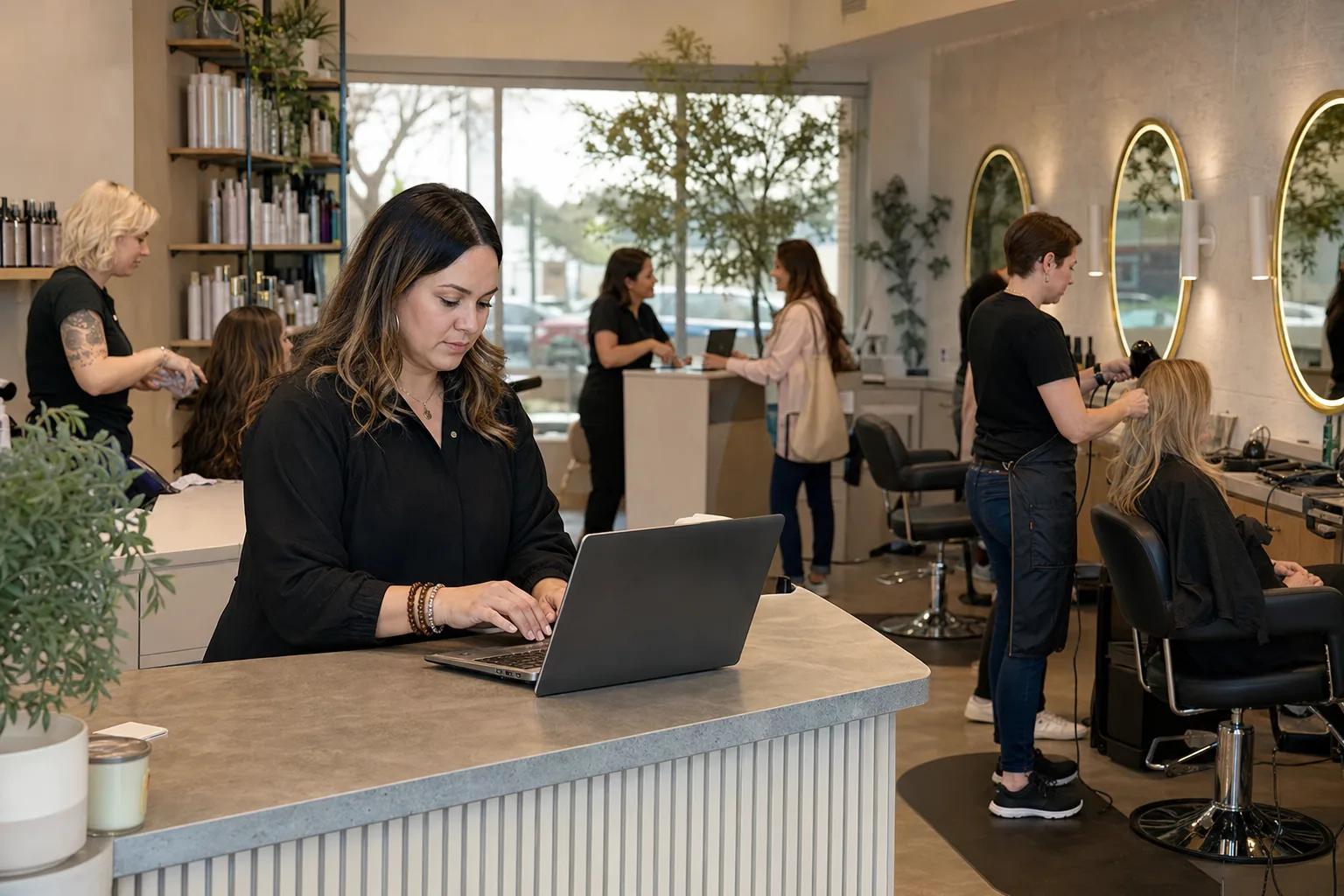
Beauty salon scheduling software should help managers staff the business, not just fill the appointment book. A salon may already have a booking system for guests, but the owner or front-desk manager still needs the right mix of stylists, estheticians, nail technicians, assistants, reception, and shift leads on duty. The right workforce scheduling tool should support recurring shifts, role coverage, availability, time-off approvals, last-minute call-outs, and multi-location visibility. It should also make coverage gaps visible before the schedule is published. ShiftSynch fits this staff scheduling side of the operation, offering shift planning, staffing requirements, two-pass auto-scheduling on paid plans, and SMS call-out coverage for salons and other shift-based service teams.
Staff scheduling is different from client appointment booking
Many salons start by managing staff time inside a client booking calendar. That works until the business grows beyond a small team or starts operating evenings, weekends, multiple rooms, multiple stations, or multiple locations.
A client appointment calendar answers questions like:
- Which guest is booked at 2:00 p.m.?
- Which stylist is assigned to that color service?
- How long is the haircut, manicure, facial, or brow appointment?
- Has the guest confirmed or prepaid?
A staff scheduling system answers different operational questions:
- Do we have enough licensed or qualified people working each shift?
- Is the front desk covered during opening, closing, lunch, and peak walk-in times?
- Are assistants scheduled when colorists need support?
- Did we approve too many Saturdays off?
- Who can cover a same-day call-out without creating unnecessary overtime?
- Which location is short on reception or service coverage next week?
For a single-chair studio, those questions may be simple. For a salon with rotating service providers, apprentices, estheticians, nail rooms, evening hours, and seasonal demand, they become a real management workload.
What beauty salon scheduling software should cover
A good salon workforce schedule should represent the way the business actually runs. That means roles, shift types, coverage minimums, time-off rules, and call-out workflows should be configured before the manager starts filling names into a grid.
Roles and qualifications
Most salons are not staffed with interchangeable employees. A licensed cosmetologist, esthetician, nail technician, lash artist, shampoo assistant, receptionist, and salon manager may all appear on the same daily schedule, but they cannot necessarily cover the same work.
When evaluating software, look for the ability to define roles or qualifications such as:
- Stylist
- Senior stylist
- Color specialist
- Esthetician
- Nail technician
- Lash or brow specialist
- Assistant or apprentice
- Front desk coordinator
- Shift lead or manager
- Opening or closing keyholder
Qualifications matter when coverage changes. If an esthetician calls out, texting every employee may create noise without solving the opening. A better system narrows outreach to eligible staff. ShiftSynch supports roles and qualifications, with qualifications tracking on the Professional plan and above, so managers can align coverage outreach with who is actually able to work the shift.
Shift types and recurring patterns
Salon schedules often repeat, even when individual appointments change daily. A manager may build recurring patterns such as:
- Tuesday through Saturday stylist schedule
- Alternating Saturday rotation
- Late-night service shift
- Opening front-desk shift
- Closing front-desk shift
- Weekend manager rotation
- Assistant coverage for peak color blocks
- Floating support between two nearby locations
Recurring schedule patterns reduce manual re-entry and make expectations clearer for staff. ShiftSynch supports custom shift types and recurring rotation patterns, which can be useful for teams that operate on predictable salon hours but still need flexible coverage.
For a deeper operational framework on repeating patterns, see how to build a rotating shift schedule.
Staffing requirements by day, shift, and role
The most useful schedule is not just a list of names. It should compare planned staffing against required staffing. A salon might define minimum coverage like:
- One front-desk coordinator from open to close
- One manager or keyholder for every operating shift
- Two stylists during weekday afternoons
- Four stylists and one assistant on Saturdays
- One esthetician on late evenings
- One nail technician on weekend mornings
- Extra reception coverage during holiday gift-card season
ShiftSynch lets organizations define staffing requirements by shift, role, weekday, or a specific date. That matters because a Saturday before prom season may not need the same coverage as a quiet Tuesday, and a special-event date may require a one-off staffing rule.
For more detail on setting minimums, see how to set minimum staffing levels.
Evaluation table for salon managers
Use this table when comparing beauty salon scheduling software against the way your salon actually operates.
| Scheduling need | Why it matters in a salon | What to evaluate |
|---|---|---|
| Role-based scheduling | Stylists, estheticians, nail techs, assistants, and front desk cannot always substitute for each other | Can the system schedule by role or qualification, not only by employee name? |
| Recurring rotations | Many salons repeat weekday, Saturday, evening, and keyholder patterns | Can managers create custom shift types and recurring patterns? |
| Minimum coverage rules | The appointment book may look full while reception, assistants, or closing coverage is short | Can staffing requirements be set by role, shift, weekday, or date? |
| Availability management | Part-time staff, booth-rent hybrids, students, and caregivers may have limited availability | Can staff submit availability before schedules are built? |
| Time-off workflow | Weekend and holiday time-off can quickly weaken service capacity | Can managers review, approve, and track time-off in one place? |
| Call-out coverage | Same-day illness or emergencies can leave guests, stations, and front desk uncovered | Can the system contact eligible replacements quickly by SMS? |
| Multi-location visibility | Owners may need to see gaps across several salons or service teams | Can teams, roles, and locations be separated but managed centrally? |
| Reporting | Managers need to understand coverage gaps, overtime, and schedule patterns | Does the software show required versus scheduled staff and labor-cost indicators? |
| Exports | Owners may need PDFs, spreadsheets, or coverage reports for internal review | Are PDF, Excel, grid, or coverage CSV exports available on the relevant plan? |
Implementation choices that shape success
The software matters, but setup decisions determine whether it becomes reliable. Salon managers should make a few operational choices before launching any scheduling platform.
Decide whether you are scheduling people, chairs, rooms, or roles
A salon may think in stations, treatment rooms, service categories, or employees. Staff scheduling should usually start with people and roles, then map those roles to the work environment.
For example:
- A stylist shift covers hair services and may occupy a chair.
- An esthetician shift covers skin services and may require a treatment room.
- A front-desk shift covers phones, check-in, retail sales, and rebooking.
- An assistant shift supports shampooing, color processing, cleanup, and guest flow.
If you build the schedule only around chairs or rooms, you may miss the role coverage required to run the day smoothly. If you build only around individual preferences, you may miss the salon’s minimum staffing needs. A balanced setup defines both role requirements and staff availability.
Separate availability from time-off
Availability and time-off are related, but they are not the same.
Availability is the regular pattern of when an employee can work. For example, a part-time nail technician may be available Wednesday evenings and Saturdays. Time-off is a specific request for approved absence from work, such as a vacation day or personal appointment.
Treating these as separate workflows prevents confusion. Staff should be able to submit ongoing availability, while managers approve specific time-off requests against coverage needs. ShiftSynch supports staff availability plus time-off submission, approval, and automatic vacation coverage outreach.
For a broader setup guide, see employee availability management.
Build coverage rules before publishing schedules
Many scheduling problems happen because the manager creates shifts first and checks coverage later. A stronger workflow is to define the staffing rules first, then generate or build the schedule against those rules.
Examples of salon coverage rules may include:
- Every open shift needs at least one front-desk person.
- Every closing shift needs a keyholder.
- Saturday requires at least one assistant when three or more stylists are booked.
- A late-night color shift requires a qualified colorist.
- A second location must have a manager or designated shift lead during all guest-facing hours.
ShiftSynch includes numbered Coverage & Overtime Rules, labeled Rules 1.0 through 7.0, that can be customized for an organization. Sara, the built-in AI assistant, can help diagnose setup, apply an industry starter template, create teams, roles, shifts, rotations, and staff, run two-pass auto-scheduling, and customize those rules. Managers should still review the result against local labor rules, licensing requirements, employment agreements, and salon policies.
For more on AI-assisted scheduling concepts, see the AI shift scheduling guide.
How automatic scheduling can help without removing manager judgment
Automatic scheduling is most useful when the business has clear rules. It should not be treated as a substitute for management judgment, staff communication, or compliance review.
On paid plans, ShiftSynch supports two-pass automatic schedule generation:
- Pass 1 applies fixed rotations.
- Pass 2 auto-fills minimum staffing needs with eligible non-overtime staff.
For a salon, that means the system can first place recurring patterns such as standard stylist days, front-desk shifts, and manager rotations. Then it can look for remaining minimum coverage gaps and fill them with eligible staff who are not being pushed into overtime under the configured rules.
This can help front-desk managers and owners spend less time rebuilding the same schedule from scratch. Still, managers should review the draft for service mix, employee fairness, licensing or qualification fit, requested time-off, local labor requirements, and guest-service expectations before publishing.
For a deeper explanation of this workflow, see automatic schedule generation.
Handling last-minute call-outs in a salon environment
Same-day call-outs are especially disruptive in salons because guests may already be booked, and the missing person may be tied to a specific service or role. A front-desk call-out can affect phones, checkout, retail, and rebooking. A stylist call-out can trigger guest rescheduling. An assistant call-out can slow down multiple providers.
A practical call-out workflow should define:
- How employees report they cannot work
- Who gets notified first
- Which staff are eligible to cover
- Whether overtime is allowed immediately or only after approval
- How the manager escalates if no one accepts
- How guests are handled if the shift remains uncovered
ShiftSynch supports bidirectional SMS and app-based call-out coverage. Staff can text SICK to scheduling@shiftsynch.com or use Call Out in the app to trigger automatic Tier 1 non-overtime coverage texts. Eligible replacements can reply YES or use a one-click magic link to claim the shift. The default is first-to-respond, and managers can customize the approach.
If the shift remains unfilled after 60 minutes, ShiftSynch can text the manager to confirm whether to open the shift to overtime with OT YES or attach a preset shift bonus using BONUS A, BONUS B, or BONUS C. The system also uses adaptive coverage learning to rank outreach by historical response rate and reply speed.
This workflow does not remove the need for a salon call-out policy. It gives managers a structured way to execute the policy consistently. For policy design, see last-minute call-outs policy and how to handle understaffing.
Multi-location salon scheduling considerations
A growing salon group may have different locations with different hours, service menus, and staff mixes. One site may offer hair and nails, while another includes esthetics or lash services. Some staff may float between locations, while others are location-specific.
When evaluating software, consider whether it supports:
- Multiple teams or locations
- Staff accounts assigned to the right teams
- Location-specific shift types
- Different staffing requirements by site
- Shared roles across locations
- Visibility into gaps without mixing every schedule into one confusing view
- Reporting across teams when ownership needs a broader picture
ShiftSynch supports multi-tenant organizations with teams, crews, staff accounts, roles and qualifications, and FTE codes. In a salon context, a team might represent a location, department, or service group. FTE codes can help distinguish full-time, part-time, float, seasonal, or other internal staffing categories, depending on how the organization chooses to use them.
Plan limits matter during evaluation. ShiftSynch’s Free plan supports one team and up to 10 staff. Basic supports one team and up to 10 staff. Professional supports up to five teams and 50 staff. Enterprise supports up to 15 teams and 150 staff. Enterprise Plus supports up to 30 teams and 300 staff, with self-serve 100-staff packs above that level. Match the plan to your actual operating structure rather than only today’s headcount.
Common failure points when salons implement scheduling software
Copying a messy spreadsheet into a new system
A software rollout will not fix unclear staffing rules by itself. If the old spreadsheet has inconsistent shift names, outdated employee availability, informal side agreements, and unclear role expectations, those issues will follow the team into the new platform.
Before migration, clean up:
- Employee list and active status
- Role names and qualifications
- Standard shift times
- Opening and closing responsibilities
- Weekend rotation expectations
- Time-off approval rules
- Overtime approval process
Treating all staff as interchangeable
This is one of the fastest ways to create coverage gaps. A nail technician may not be able to cover a stylist shift. A junior assistant may not be the right closing keyholder. A receptionist may not be able to cover a licensed service provider. Build roles and qualifications carefully.
Publishing before reviewing coverage analytics
ShiftSynch includes coverage analytics that compare required staff with staff actually scheduled. Managers should use that view before publishing, especially around weekends, holidays, school breaks, prom and wedding seasons, and staff vacation periods.
Ignoring local requirements
Salons may need to consider wage and hour rules, break requirements, day-of-rest rules, licensing limits, minor labor rules, commission or booth-rental arrangements, union or employment agreements where applicable, and state or local cosmetology regulations. Scheduling software can help organize the workflow, but it does not guarantee legal, contractual, licensing, labor, safety, or clinical compliance. Verify requirements locally with qualified advisors.
For workforce policy topics, the compliance category and broader staffing resources may be useful starting points.
Operational checklist for selecting and launching salon scheduling software
Use this checklist before buying or implementing a staff scheduling system.
Before selection
- List every role needed to operate the salon.
- Separate client booking needs from staff scheduling needs.
- Document standard shift types, including opening, closing, late-night, weekend, and floating shifts.
- Define minimum staffing by role, weekday, shift, and special date.
- Identify which staff can work across locations.
- Decide how managers will approve overtime, bonuses, and emergency coverage.
- Confirm plan limits for teams, locations, and staff count.
- Verify local labor, licensing, contract, and safety requirements.
During setup
- Enter accurate staff accounts and active statuses.
- Assign roles, qualifications, and internal staffing codes.
- Configure recurring rotations before building one-off schedules.
- Add staff availability and approved time-off.
- Build staffing requirements before publishing.
- Test call-out routing with a limited manager-reviewed scenario.
- Review coverage analytics before sending schedules to staff.
- Export or archive schedules as required by your internal process.
After launch
- Review recurring coverage gaps weekly.
- Update staff availability on a defined cadence.
- Audit weekend and holiday rotation fairness.
- Track call-out response patterns.
- Adjust staffing requirements when hours, services, or locations change.
- Train assistant managers or front-desk leads on the same scheduling rules.
- Reconfirm legal, licensing, labor, and policy requirements when expanding services or locations.
Where ShiftSynch fits for salon workforce scheduling
ShiftSynch is not a client appointment scheduler, payroll processor, point-of-sale system, or licensing compliance guarantee. It is automated staff scheduling and SMS call-out coverage software for shift-working organizations. It was originally designed around nursing staff and 24/7 clinical coverage, and it also supports other multi-shift teams such as salons, hospitality, retail, restaurants, security, call centers, warehouses, manufacturing, and fire/EMS.
For salon operators, the relevant fit is staff coverage: teams, roles, qualifications, recurring rotations, staffing requirements, time-off workflows, coverage analytics, SMS call-outs, overtime and labor-cost reporting, and schedule exports where offered by the applicable plan. Web and mobile app access is available, and API access is available on Professional+ with custom integrations on Enterprise+.
The best evaluation question is not simply whether the software can display a calendar. Ask whether it can show who is required, who is scheduled, who is qualified, who is available, who is out, and how the manager will fill the gap when someone calls out an hour before opening.
Frequently Asked Questions
- Is beauty salon scheduling software the same as appointment booking software?
- No. Appointment booking software manages guest services and provider appointments. Staff scheduling software manages employee shifts, role coverage, availability, time-off, call-outs, and staffing requirements.
- Can ShiftSynch be used by salons even though it was designed around healthcare scheduling?
- Yes. ShiftSynch was originally designed around nursing and 24/7 clinical coverage, but it also supports salons and other shift-based service businesses that need role-based staff scheduling and coverage workflows.
- What salon roles should be configured in scheduling software?
- Common roles include stylist, senior stylist, color specialist, esthetician, nail technician, lash or brow specialist, assistant, front desk coordinator, keyholder, shift lead, and manager.
- How should salons handle same-day call-outs?
- Define a policy first: how staff report absences, who is eligible to cover, when overtime is allowed, and when managers escalate. Software such as ShiftSynch can then automate eligible SMS coverage outreach.
- Does scheduling software guarantee labor law or licensing compliance?
- No. Scheduling software can help organize rules and records, but salon owners should verify wage, hour, break, licensing, contract, union, and local requirements with qualified advisors.
Ready to replace the spreadsheet and group text?
Build the rotation, publish shifts, and see qualified coverage in ShiftSynch.
Start free