Healthcare Employee Scheduling for Reliable Coverage
Learn how healthcare schedulers set role-based staffing needs, manage rotations and time off, automate call-outs, and review coverage and overtime.
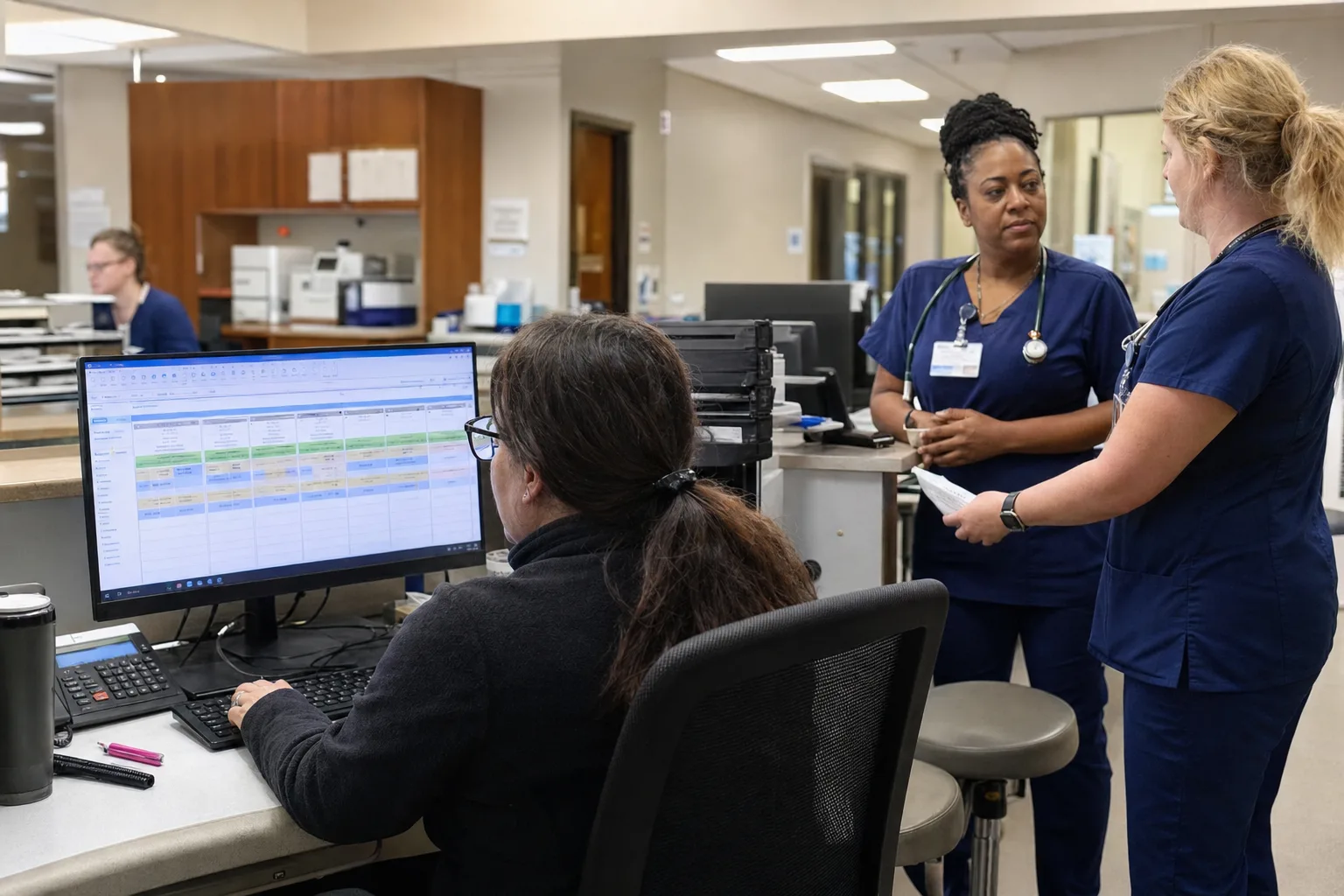
Healthcare employee scheduling is the operating system for daily coverage: define who is required, assign the right people to the right shifts, manage absences early, and close gaps before they become unsafe or expensive. For healthcare scheduling managers, the work starts before names go on a grid. You need role-based staffing requirements, recurring rotations where appropriate, qualification tracking, a clear time-off process, call-out coverage rules, and reporting that shows coverage against requirements. ShiftSynch supports that workflow with staff scheduling, automated schedule generation, SMS call-out coverage, and coverage analytics for healthcare teams and other multi-shift organizations. It is not a clinical compliance system, so always verify staffing, licensing, labor, union, and safety requirements locally.
What healthcare employee scheduling has to control
Healthcare schedules are harder than ordinary weekly rosters because coverage is continuous, role-dependent, and often qualification-dependent. A hospital unit, assisted-living community, home-health agency, behavioral health program, clinic, or skilled-nursing facility may need different roles at different times of day, on different weekdays, or on specific dates.
A useful scheduling operation controls five things:
- Demand by shift and role: how many RNs, LPNs/LVNs, CNAs, med techs, aides, therapists, schedulers, front-desk staff, or supervisors are required.
- Eligibility: who can safely and contractually work each assignment based on role, qualification, location, employment status, and availability.
- Pattern: whether staff follow fixed rotations, repeating weekends, block schedules, or a more flexible self-scheduling process.
- Exceptions: time off, call-outs, leaves, census-driven changes, training days, and vacancies.
- Review: whether the published schedule actually meets requirements and what overtime or premium costs are appearing.
For a deeper staffing-level framework, see how to set minimum staffing levels. For organizations that operate all day and all night, the same principles apply in 24/7 coverage scheduling.
Build the staffing model before building the schedule
The most common failure point is treating the schedule grid as the source of truth. If a coordinator starts by copying last month, gaps and workarounds get copied too. A stronger approach is to define the staffing model first, then use the schedule to satisfy it.
Define requirements by shift, role, weekday, and date
A requirement should answer: on this team, for this shift, on this day type, how many qualified people are needed? ShiftSynch allows staffing requirements by shift, role, weekday, or a specific date. That matters because Monday day shift in a clinic may not resemble Saturday night in a residential program.
Use specific language. Instead of coverage needed, write 2 RNs and 3 CNAs on 7a-7p weekdays for Unit A, or 1 front-desk registrar and 1 MA from 8a-5p Monday through Friday. Specific requirements make automation and reporting more useful.
Separate staffing requirements from preference rules
Requirements describe what must be covered. Preferences describe what you would like to honor when possible: preferred weekends, shift type preferences, seniority practices, requested days off, or continuity-of-care preferences. Mixing these together creates confusion. If every preference is treated like a hard requirement, the schedule becomes difficult to complete. If true requirements are treated like preferences, coverage risk increases.
ShiftSynch is designed around teams, crews, staff accounts, roles and qualifications, and FTE codes. FTE means full-time equivalent and is commonly used to describe how much of a full-time workload an employee is budgeted or expected to work. FTE codes can help coordinators distinguish full-time, part-time, per diem, PRN, and other staffing categories when planning coverage.
| Scheduling decision | What to define | Common failure point | Better operating practice |
|---|---|---|---|
| Shift structure | Start/end times, shift names, overnight handling | Using vague labels like day or evening without times | Standardize custom shift types before assigning staff |
| Role requirements | Required count by role and team | Counting total heads but missing license or role mix | Set minimums by role, weekday, and date where needed |
| Qualifications | Who can work which role, unit, or task | Assuming job title equals eligibility | Track required qualifications and review changes regularly |
| Rotation pattern | Fixed cycle, weekend pattern, or repeating template | Copying old schedules with hidden inequities | Build recurring patterns and audit coverage before publishing |
| Time off | Request deadlines, approval authority, blackout periods if used | Approving absences without checking coverage | Compare approved time off against staffing requirements |
| Call-out coverage | Tier order, overtime rules, escalation timing | Manually texting favorites or missing qualified staff | Use documented call-out tiers and track responses |
| Reporting | Coverage, overtime, and labor-cost review cadence | Reviewing only after payroll or month-end | Review gaps and overtime before and after publishing |
Use recurring rotations where stability helps
Many healthcare teams benefit from recurring rotations because staff know what to expect and managers reduce repetitive manual work. Rotations can be especially useful for 12-hour nursing shifts, overnight teams, weekend programs, residential healthcare, and departments that must maintain 24/7 coverage.
A rotation is a repeating pattern of work and off days. It may be assigned to a crew, individual staff member, or role group. ShiftSynch supports custom shift types and recurring rotation patterns, so a scheduler can build the repeating structure and then handle exceptions separately.
Common rotation decisions include:
- Whether the organization uses 8-hour, 10-hour, 12-hour, or mixed shifts.
- Whether staff rotate between days and nights or remain on a fixed shift.
- How weekends and holidays are distributed.
- How part-time, PRN, or per diem staff fit around core full-time rotations.
- Whether teams are grouped into crews to simplify coverage.
If your organization is choosing a rotation model, start with this rotating shift schedule guide. Some healthcare teams also evaluate patterns such as a 2-2-3 schedule when they need continuous coverage, though any pattern must be checked against local labor, licensing, union, fatigue, and safety requirements.
Where self-scheduling fits
Self-scheduling can work well in some nursing environments when the manager defines the staffing rules first and staff submit preferences within those boundaries. It should not mean everyone chooses independently and the coordinator repairs the gaps later. If you use self-scheduling, keep minimum staffing, qualifications, weekend obligations, and approval authority visible. For nursing-specific setup considerations, see the nurse self-scheduling guide.
Track qualifications and eligibility, not just names
A healthcare schedule is only reliable if assigned staff are eligible for the work. Eligibility may depend on license type, certification, training, orientation to a unit, medication administration authorization, language skills, supervisory status, or other organization-specific requirements.
ShiftSynch includes qualifications tracking on the Professional plan and above. That lets managers maintain a clearer distinction between available staff and eligible staff. A person may be free on the calendar but still not qualified for a particular role, unit, or shift requirement.
Build an internal process for keeping qualification records current:
- Decide who owns updates: scheduling, HR, clinical leadership, department managers, or a shared workflow.
- Define what evidence is required before a qualification is marked active.
- Set a cadence for reviewing expiring or changing qualifications.
- Remove or update eligibility promptly when a staff member changes role, location, or status.
ShiftSynch should be treated as a scheduling and coverage system, not a licensing or clinical-compliance guarantee. Managers still need to verify legal, contractual, licensing, credentialing, and clinical rules through the appropriate internal and external authorities.
Manage availability and time off before the schedule breaks
Availability and time off are not the same. Availability describes when a staff member can generally work. Time off is an approved absence from a period they otherwise might work. Mixing the two makes it harder to know whether the organization has a staffing problem or only a preference conflict.
ShiftSynch supports staff availability, time-off submission, approval, and automatic vacation coverage outreach. That is useful because approved absences often create predictable coverage gaps. If a vacation request is approved but no replacement process starts until the week of the shift, the organization has converted a planned absence into a last-minute staffing problem.
A practical time-off workflow includes:
- Written request deadlines by department or team.
- A clear approval role, such as scheduling coordinator, unit manager, or administrator.
- Review against staffing requirements before approval.
- Visibility into overlapping requests by role and shift.
- A coverage process for approved absences, including who receives outreach first.
- Documentation of denials or conditional approvals when coverage is not available.
For more detail on collecting and applying availability, see employee availability management.
Automate schedule generation without giving up control
Automation works best when the underlying staffing model is clean. If roles, requirements, rotations, availability, and qualifications are incomplete, automatic scheduling will reproduce that confusion faster. The goal is not to let software make clinical or legal decisions. The goal is to reduce repetitive assignment work while keeping managers in control of rules and exceptions.
On paid plans, ShiftSynch supports two-pass automatic schedule generation:
- Pass 1: fixed rotations. The system places recurring rotations first, preserving the predictable structure the organization already uses.
- Pass 2: minimum-staffing auto-fill. The system then fills remaining minimum-staffing gaps with eligible non-overtime staff where possible.
That sequence fits healthcare operations because rotations often represent the baseline schedule, while auto-fill helps close gaps without immediately jumping to overtime. Managers should still review the output, confirm role mix, check special dates, and verify that the schedule aligns with applicable policies and requirements.
Sara, ShiftSynch’s built-in AI assistant powered by GPT-5.5, can help diagnose setup, apply an industry starter template, create teams, roles, shifts, rotations, and staff, run two-pass auto-scheduling, and customize the organization’s numbered Coverage & Overtime Rules, Rules 1.0-7.0. AI assistance is useful for setup and configuration, but it should operate inside manager-approved rules. For broader planning context, see the AI shift scheduling guide and automatic schedule generation.
Design call-out coverage before the first sick text
Last-minute call-outs are where many healthcare schedules fail. A nurse, CNA, home-care aide, med tech, behavioral health technician, or front-desk employee calls out, and the coordinator starts texting manually. That process can be slow, inconsistent, and difficult to audit.
ShiftSynch supports bidirectional SMS call-out coverage. Staff can text SICK to scheduling@shiftsynch.com or tap Call Out in the app to trigger automatic Tier 1 non-overtime coverage texts. Eligible replacements can reply YES or use a 1-click magic link to claim the shift. The default is first-to-respond, and managers can customize that approach.
The key operational choice is how to define tiers. Tier 1 might include eligible staff who are available and not projected for overtime. Later tiers may include staff closer to overtime, less preferred coverage sources, or manager-approved exceptions. Your rules should reflect internal policy, applicable labor requirements, union or contract provisions, and clinical leadership direction.
Escalate overtime and incentives deliberately
If a shift remains unfilled after 60 minutes, ShiftSynch texts the manager to confirm whether to open the shift to overtime with OT YES or attach a preset shift bonus with BONUS A, BONUS B, or BONUS C. This matters because overtime and incentives should be manager decisions, not accidental results of panic texting.
ShiftSynch also uses adaptive coverage learning to rank call-in outreach by historical staff response rate and reply speed. That can help outreach become more practical over time, but it does not replace policy. Managers still need to decide who is eligible, when overtime is allowed, and how incentives are approved.
For policy design, use the last-minute call-outs policy guide. For broader operational options when staffing is already short, see how to handle understaffing.
Review coverage and overtime before the schedule becomes history
Healthcare scheduling should not be evaluated only after payroll, agency spend, or complaints reveal a problem. Managers need routine reporting before and after schedules are published.
ShiftSynch includes coverage analytics comparing required staff with staff actually scheduled. That helps coordinators see whether the schedule meets the requirements they defined by shift, role, weekday, or date. It also supports overtime and labor-cost reporting, which can help leaders understand where overtime is appearing and whether certain shifts, teams, or roles are recurring pressure points.
Depending on the applicable plan, ShiftSynch also offers PDF, Excel, grid, and coverage CSV exports. Exports can support leadership review, staffing meetings, and internal documentation. They should not be treated as a substitute for payroll processing, EHR documentation, patient-acuity systems, or clinical compliance review.
Useful reporting questions include:
- Which shifts are repeatedly below required coverage?
- Are gaps concentrated in one role, team, weekday, or time of day?
- Which approved time-off periods caused replacement difficulty?
- Where is overtime being used as the default instead of the exception?
- Are qualification shortages limiting otherwise available staff?
- Are call-out response rates low for certain shifts or teams?
Implementation checklist for healthcare scheduling managers
Use this checklist when moving from manual scheduling, spreadsheets, or an underconfigured system to a more controlled healthcare employee scheduling process.
- Map teams and locations. List departments, units, programs, homes, clinics, or crews that need separate staffing rules.
- Standardize shift types. Define start times, end times, overnight handling, and naming conventions.
- Build role lists. Separate job titles from scheduling roles when needed, such as RN charge, RN floor, CNA, med tech, aide, therapist, registrar, or supervisor.
- Enter staffing requirements. Set minimums by shift, role, weekday, and specific date where exceptions apply.
- Validate qualifications. Decide which qualifications affect scheduling eligibility and who maintains them.
- Capture staff status and FTE codes. Distinguish full-time, part-time, PRN, per diem, float, or other internal categories.
- Create recurring rotations. Build fixed patterns only after staffing requirements are clear.
- Collect availability. Use a consistent process for regular availability and availability changes.
- Define time-off rules. Document request deadlines, approval authority, and coverage review steps.
- Configure call-out tiers. Decide who gets contacted first, when overtime opens, and when manager approval is required.
- Review generated schedules. Check role mix, qualifications, special dates, weekends, overtime, and exceptions before publishing.
- Publish and notify staff according to policy. ShiftSynch supports schedule publishing with email and SMS notifications on paid plans.
- Audit results. Compare scheduled coverage to requirements and review overtime or recurring gaps after each schedule cycle.
Common failure points and how to avoid them
Failure point: every department uses different schedule labels
If one team says days, another says AM, and another says 7a without consistent times, reporting becomes less useful. Standardize shift types across the organization when possible, while still allowing department-specific needs.
Failure point: managers approve time off without checking coverage
Time off may be reasonable from an individual standpoint but still create a role-based gap. Require coverage review before approval, especially for weekends, holidays, nights, and hard-to-fill roles.
Failure point: overtime rules live in someone’s head
If only one coordinator knows when overtime is allowed, call-out decisions become inconsistent. Document the rule sequence, approval authority, and escalation path. ShiftSynch’s Coverage & Overtime Rules can help structure those decisions, but leadership still owns the policy.
Failure point: availability is outdated
Old availability records cause false confidence. Review availability on a set cadence and whenever staff change role, school schedule, second job, childcare availability, or employment status.
Failure point: reports are reviewed too late
A coverage report is more useful before the schedule is finalized than after the pay period closes. Build a schedule review meeting or checkpoint into the process, even if it is brief.
Adapting the model to different healthcare settings
The same scheduling principles apply across healthcare, but each setting uses them differently. A hospital unit may focus on nursing skill mix and 24/7 coverage. Assisted living and skilled nursing may emphasize resident-facing role coverage across days, evenings, nights, and weekends. Home-health and home-care organizations may coordinate caregiver availability with client visits and travel realities. Behavioral health programs may need consistent coverage for residential, outpatient, or crisis programs. Clinics may need front-desk, medical assistant, nurse, and provider-support coverage across business hours.
For setting-specific guidance, see assisted-living scheduling software, home-care scheduling software, behavioral health scheduling software, and clinic front desk scheduling. You can also browse more articles in healthcare scheduling, staffing, and compliance.
A reliable healthcare employee scheduling process does not depend on one heroic coordinator fixing every gap manually. It depends on clear staffing requirements, accurate eligibility data, practical rotations, disciplined time-off approval, documented call-out coverage, and regular coverage and overtime review. ShiftSynch can support that operating model as a scheduling and SMS coverage platform, while managers remain responsible for policy, judgment, and local compliance verification.
Frequently Asked Questions
- What is healthcare employee scheduling?
- Healthcare employee scheduling is the process of assigning qualified staff to required shifts while accounting for role mix, availability, time off, call-outs, overtime, and coverage rules. It is used by hospitals, clinics, assisted-living communities, home-health teams, behavioral health programs, and other healthcare employers.
- How does ShiftSynch support healthcare scheduling?
- ShiftSynch supports teams, staff accounts, roles, qualifications, FTE codes, custom shift types, recurring rotations, staffing requirements, two-pass automatic schedule generation on paid plans, SMS call-out coverage, time-off workflows, coverage analytics, and overtime and labor-cost reporting.
- Can scheduling software guarantee healthcare staffing compliance?
- No. Scheduling software can help organize requirements, assignments, coverage gaps, and reports, but it should not be treated as a legal, licensing, union, clinical, patient-safety, or staffing-ratio compliance guarantee. Managers should verify requirements with the appropriate authorities and internal leaders.
- What should healthcare managers define before using auto-scheduling?
- Managers should define teams, shift types, roles, staffing requirements, qualifications, FTE categories, availability rules, time-off approval rules, rotation patterns, overtime rules, and call-out escalation steps before relying on automatic schedule generation.
- How should healthcare teams handle last-minute call-outs?
- They should use a written call-out policy that defines how staff report absences, who is eligible for outreach, when overtime can be offered, when bonuses require approval, and when managers are escalated. ShiftSynch can automate SMS outreach to eligible replacements and escalate unfilled shifts after 60 minutes.
Ready to replace the spreadsheet and group text?
Build the rotation, publish shifts, and see qualified coverage in ShiftSynch.
Start free