Nurse Scheduling Software for Rotations and Coverage
How nursing schedulers can choose software for RN, LPN, and CNA rotations, staffing rules, availability, time off, qualifications, and coverage.
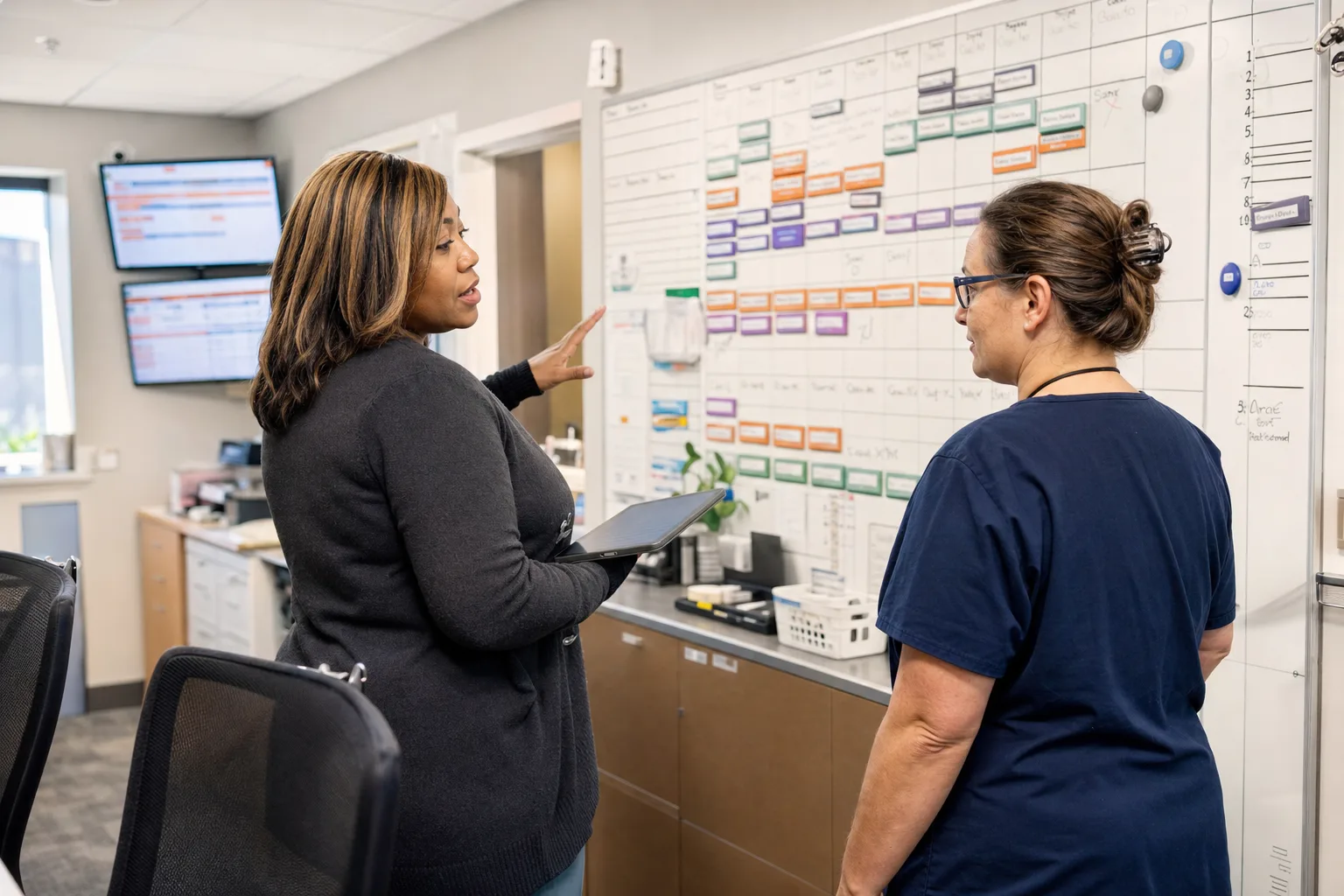
Nurse scheduling software should help an organization build safe, reviewable staffing plans for RN, LPN/LVN, CNA, aide, and charge roles across days, evenings, nights, weekends, and holidays. For nursing schedulers, the practical test is not whether the tool can draw a calendar. It is whether it can represent real rotation patterns, staffing requirements, qualifications, availability, time off, call-outs, and manager review before the schedule is published.
This guide is for staffing coordinators, directors of nursing, administrators, unit managers, and owners selecting or implementing an organization-level system. It focuses on the scheduling structure behind reliable coverage, not personal shift tracking.
What nurse scheduling software must solve
Nursing schedules are constrained by patient coverage needs, licensed roles, facility policy, staff availability, time-off approvals, weekend expectations, holidays, and last-minute absences. A workable system needs to connect all of those pieces so the scheduler is not rebuilding the same logic by hand every pay period.
At the organization level, nurse scheduling software should help you answer these questions:
- Which roles are required for each shift, weekday, unit, wing, or location?
- Which employees are eligible for each assignment based on role, qualifications, and status?
- Which staff are already committed, unavailable, on approved time off, or at risk of overtime?
- Which shifts are short before publication?
- What happens when an RN, LPN, CNA, or aide calls out after the schedule is posted?
- How does the manager review exceptions before staff are notified?
For broader healthcare scheduling topics, the healthcare scheduling guides can be useful context, especially if your organization includes clinics, assisted living, skilled nursing, home health, or behavioral health programs.
Start with the scheduling model, not the calendar view
A calendar grid matters, but the underlying data model matters more. If the system cannot represent your real staffing structure, the scheduler will end up using notes, spreadsheets, and manual workarounds.
Teams, units, and locations
Define how your organization actually staffs care. A small home-health agency may schedule one team. A nursing home may need separate teams for skilled nursing, memory care, assisted living, and overnight coverage. A hospital department may need teams by unit, pod, or specialty.
ShiftSynch supports multi-tenant organizations with teams, crews, staff accounts, roles or qualifications, and FTE codes. In a nursing environment, that structure can be used to separate RN, LPN/LVN, CNA, medication aide, charge nurse, supervisor, and other staffing groups while still giving leadership organization-level visibility.
Roles, qualifications, and eligibility
Do not treat every employee as interchangeable. Eligibility should reflect the work that can legally, clinically, and operationally be assigned. Common nursing eligibility dimensions include:
- Role: RN, LPN/LVN, CNA, aide, medication aide, charge nurse, unit clerk, supervisor
- Qualifications: certifications, training, unit orientation, specialty skills, or facility-defined competencies
- Employment status: full-time, part-time, per diem, PRN, agency, or float pool
- FTE code: the staffing budget or expected commitment assigned to an employee
- Team assignment: home unit, float eligibility, or location restrictions
Qualifications tracking is available on ShiftSynch Professional and above. That can help schedulers avoid assigning a role or unit to someone who should not be considered eligible, but it does not replace credential verification, clinical governance, or licensing oversight. Always verify legal, union, licensing, clinical, and safety requirements locally.
Map your shift types and rotation patterns
Nursing teams often run repeated patterns. The pattern may be simple, such as fixed Monday-Friday day shifts for administrative nursing roles, or more complex, such as rotating 12-hour day/night patterns with every other weekend.
ShiftSynch supports custom shift types and recurring rotation patterns. That matters because nursing schedules rarely fit a single generic template. Before implementation, list every shift type with start time, end time, paid or unpaid break assumptions, handoff expectations, and the roles commonly attached to the shift.
Common nursing shift types to define
A practical setup might include:
- Day RN: 7:00 a.m.-7:00 p.m.
- Night RN: 7:00 p.m.-7:00 a.m.
- Day CNA: 6:30 a.m.-2:30 p.m.
- Evening CNA: 2:30 p.m.-10:30 p.m.
- Night CNA: 10:30 p.m.-6:30 a.m.
- Charge nurse day: 7:00 a.m.-7:00 p.m.
- Supervisor evening: 3:00 p.m.-11:00 p.m.
- Weekend option shift
- On-call or standby category, if used by policy
Use your organization’s actual naming. The goal is to make the schedule readable to nursing staff and auditable by managers.
Rotation patterns and fairness
Rotations make schedules easier to maintain when they reflect stable expectations. Examples include fixed weekdays, every-other-weekend patterns, 4-on/2-off patterns, Baylor-style weekend programs, and repeating two-week or four-week cycles. If you are designing a rotation from scratch, the rotating shift schedule guide explains how repeating patterns work operationally.
Avoid using automation to hide unresolved policy questions. Decide how your organization handles weekends, holidays, consecutive nights, requested days off, seniority, floating, and overtime before trying to generate schedules. If your policy allows exceptions, document who can approve them.
Convert coverage expectations into staffing requirements
A scheduling system becomes useful when it can compare what you need against what is scheduled. That requires minimum staffing requirements by shift, role, weekday, or specific date.
In ShiftSynch, staffing requirements can be configured by shift, role, weekday, or a specific date. Coverage analytics compare required staff with staff actually scheduled. That helps a scheduler see whether the Tuesday night CNA requirement is short, whether the weekend RN charge role is uncovered, or whether a holiday has a different staffing requirement than a normal weekday.
For a deeper operational framework, see how to set minimum staffing levels. The key is to separate the software configuration from the clinical or legal standard. The software can reflect your approved requirements; it should not be treated as the source of legal, union, licensure, staffing-ratio, fatigue, or patient-safety compliance.
Staffing requirement example
| Scheduling element | Example configuration | Failure point to watch |
|---|---|---|
| Day RN requirement | 3 RNs on 7a-7p weekdays | Requirement is copied to weekends without review |
| Night RN requirement | 2 RNs on 7p-7a daily | Charge coverage is counted as bedside coverage when policy says it should be separate |
| CNA requirement | 5 CNAs days, 4 evenings, 3 nights | Census or unit changes are handled in side notes instead of dated requirements |
| Charge nurse | 1 qualified charge RN per shift | Any RN is allowed to fill charge because qualification is not tracked |
| Medication aide | 1 qualified medication aide on selected shifts | Certification expiration or local scope rules are not verified outside the schedule |
| Holiday coverage | Date-specific staffing requirements | Holiday templates are not updated before schedule generation |
The table is intentionally operational. Most scheduling breakdowns happen because the template is nearly correct but misses exceptions: a holiday, a wing closure, a short-stay census change, an orientation requirement, or a manager-only approval rule.
Availability, time off, and approvals
Nursing schedules fail quickly when availability and time off live outside the scheduling workflow. Staff may submit requests by email, paper form, text message, or hallway conversation. The scheduler then has to remember which items are approved, which are pending, and which are not allowed.
ShiftSynch supports staff availability, time-off submission, approval, and automatic vacation coverage outreach. That means the scheduler can maintain a cleaner distinction between preference, unavailable time, and approved absence.
The distinction matters:
- Availability describes when an employee can generally work.
- Preference describes when an employee would rather work or avoid work.
- Time off is a submitted request for a specific date or time range.
- Approved time off should block normal scheduling unless a manager intentionally overrides it.
- A call-out is an unplanned absence after the schedule is already built or published.
For implementation guidance, review employee availability management before importing staff preferences. If you let every preference behave like a hard restriction, the generated schedule may become impossible. If you ignore availability entirely, staff trust in the schedule will erode.
Automatic generation still needs human review
Automated scheduling can reduce repetitive building, but it does not remove management judgment. The system should produce a draft that a knowledgeable scheduler can review for coverage, fairness, qualifications, overtime risk, and policy exceptions.
On paid plans, ShiftSynch supports two-pass automatic schedule generation:
- Pass 1 applies fixed rotations.
- Pass 2 fills minimum staffing gaps with eligible non-overtime staff.
That two-pass approach is useful in nursing because many organizations want to preserve predictable rotations first, then fill uncovered requirements without immediately creating overtime. It also keeps the scheduler involved: the generated result should be reviewed before publication, especially for charge assignments, orientation shifts, specialty qualifications, consecutive-night concerns, holiday distribution, and any local contractual rules.
If your organization is evaluating automation more broadly, automatic schedule generation and the AI shift scheduling guide explain what automation can and cannot decide. Sara, ShiftSynch’s built-in AI assistant, can diagnose setup, apply an industry starter template, create teams, roles, shifts, rotations, and staff, run two-pass auto-scheduling, and customize the organization’s numbered Coverage & Overtime Rules. Managers still need to verify that the configuration matches their policies and local requirements.
Coverage management after publication
The schedule does not stop changing after it is published. Nursing coverage often breaks because of sickness, family emergencies, weather, transportation issues, mandatory training, or last-minute census changes. A good nurse scheduling software implementation includes a call-out workflow, not just a draft schedule.
ShiftSynch supports bidirectional SMS call-out coverage. Staff can text SICK to scheduling@shiftsynch.com or tap Call Out in the app to trigger automatic Tier 1 non-overtime coverage texts. Eligible replacements can reply YES or use a one-click magic link to claim the shift. The default is first-to-respond, and managers can customize the handling.
If the shift remains unfilled after 60 minutes, ShiftSynch texts the manager to confirm whether to open the shift to overtime with OT YES or attach a preset shift bonus with BONUS A, B, or C. The system also uses adaptive coverage learning to rank call-in outreach by historical staff response rate and reply speed.
This kind of workflow should be paired with a written call-out policy. The last-minute call-outs policy and handling understaffing guide can help frame the operational rules. The software should support your approved escalation process; it should not substitute for clinical leadership decisions about whether a unit can accept admissions, combine assignments, call in a supervisor, use agency support, or take other actions.
Publishing, notifications, and staff visibility
Publishing is the point where a draft becomes the working schedule. Before publishing, establish who can edit, who can approve, and how staff will be notified.
On paid plans, ShiftSynch supports schedule publishing plus staff notifications by email and SMS. Staff can access schedules through the web and mobile apps for iOS and Android. Export options such as PDF, Excel, grid, and coverage CSV are available where offered by the applicable plan.
Common publishing safeguards include:
- Lock the draft during final review to prevent conflicting edits.
- Review short shifts, unassigned roles, and overtime warnings.
- Confirm approved time-off blocks are respected.
- Confirm charge nurse and specialty qualification assignments.
- Confirm weekend and holiday distribution before sending notifications.
- Keep an export or dated record according to your organization’s retention policy.
If you operate 24/7 units, the 24/7 coverage scheduling guide is a useful companion because round-the-clock coverage creates different failure points than weekday clinic scheduling.
Implementation choices that determine success
Software selection is only one part of the project. The implementation choices determine whether the system becomes the source of truth or another side tool.
Decide who owns scheduling rules
Nursing schedulers often know the real rules better than anyone, but they may not have authority to settle policy disputes. Before launch, assign ownership for:
- Role definitions and eligibility
- Minimum staffing requirements
- Weekend and holiday rules
- Overtime approval
- Float rules
- Time-off approval windows
- Call-out escalation
- Schedule publication deadlines
- Manager override permissions
If a rule is disputed, do not bury it in the software. Resolve it operationally, then configure it.
Build a clean staff roster
A dirty roster creates scheduling errors. Before importing staff, verify names, contact methods, role, team, FTE code, employment status, qualifications, default availability, and manager relationships. Remove inactive employees or mark them clearly so they are not accidentally scheduled.
Pilot with one team or unit
A pilot helps expose missing shifts, misunderstood rotations, incomplete qualifications, and unrealistic requirements. Choose a unit that represents common complexity but is not in crisis. Build the next schedule cycle, review it with managers, compare it against current practice, and adjust before expanding.
Keep human review in the workflow
Automation should draft and identify issues; nursing leadership should decide exceptions. A scheduler should review generated schedules for:
- Understaffed shifts
- Overstaffed shifts
- Role mismatches
- Consecutive night patterns
- Weekend balance
- Holiday distribution
- Overtime exposure
- Approved time-off conflicts
- Charge nurse coverage
- Orientation or preceptor needs
Operational checklist for selecting nurse scheduling software
Use this checklist before committing to a system or expanding it across units.
- Define every team, unit, wing, or location that needs separate coverage.
- List all roles: RN, LPN/LVN, CNA, aide, charge, supervisor, medication aide, and other local roles.
- Document qualifications that affect eligibility.
- Create standard shift types with exact start and end times.
- Identify recurring rotation patterns and exceptions.
- Configure staffing requirements by role, shift, weekday, and special date.
- Separate availability, preferences, approved time off, and call-outs.
- Decide how overtime is approved and escalated.
- Establish who may publish schedules and who may override rules.
- Test automatic generation on a future schedule before using it operationally.
- Review coverage analytics before publication.
- Test SMS call-out coverage with a controlled scenario.
- Train managers on exception review, not just calendar editing.
- Tell staff how to view schedules, submit time off, and follow call-out procedures.
- Verify legal, union, licensing, clinical, labor, and safety requirements with qualified local advisors.
Plan fit and scale considerations
A small nursing team may only need one team, rotations, staffing requirements, availability, and time-off tracking at first. Larger organizations usually need qualifications, call-out coverage, reporting, and multi-team visibility.
ShiftSynch’s current plan structure is relevant when matching requirements to scale. The Free plan supports one team and up to 10 staff for building schedules, rotations, staffing requirements, availability, and time off. Basic supports one team and up to 10 staff with publishing, notifications, rotation auto-generation, exports, Sara AI assistant, time off, and basic reports. Professional supports up to five teams and 50 staff with two-pass auto-scheduling, qualifications tracking, SMS call-out coverage, advanced reports, and API access. Enterprise supports up to 15 teams and 150 staff, while Enterprise Plus supports up to 30 teams and 300 staff, with self-serve staff packs above that level.
Do not evaluate plans only by headcount. Evaluate by scheduling complexity. A 35-person skilled nursing team with multiple roles, qualifications, and 24/7 coverage may need more advanced scheduling controls than a larger but simpler weekday operation.
Common failure points to avoid
Nursing scheduling software implementations usually struggle for predictable reasons.
Treating preferences as rules
If every preference is mandatory, the schedule may not generate enough coverage. Separate hard restrictions from preferences and make the approval process clear.
Under-defining qualifications
If any RN can be assigned anywhere in the software, charge roles, specialty units, orientation needs, and local competency requirements may be missed. Track eligibility carefully and verify it outside the scheduler as required.
Ignoring date-specific staffing changes
Holiday weeks, flu season plans, construction, census changes, training days, and special clinics may require dated requirements. A normal weekday template is not enough.
Publishing before exception review
A generated schedule can look complete while still containing questionable assignments. Require a manager review for coverage gaps, overtime, charge coverage, and policy exceptions before notification.
Leaving call-outs outside the system
If call-outs are handled by personal texts and side lists, the organization loses visibility into who was contacted, who responded, and whether overtime was approved. Build the call-out workflow into the implementation from the beginning.
How to evaluate the final configuration
Before go-live, test the system against real scenarios from your organization:
- An RN calls out for tonight’s night shift.
- A CNA has approved vacation during a weekend rotation.
- A charge nurse qualification is required on every shift.
- A holiday has higher or different staffing requirements.
- A part-time employee is available but would create overtime under your rules.
- A unit needs date-specific staffing for a known event.
- A manager must decide whether to open a shift to overtime.
The right nurse scheduling software configuration should make these scenarios visible and reviewable. It should not require the scheduler to remember every exception manually. When the system reflects your roles, rotations, staffing requirements, availability, time off, qualifications, generation rules, and call-out workflow, it becomes a practical operating tool for nursing coverage rather than just a calendar.
Frequently Asked Questions
- What should nurse scheduling software track for RN, LPN, and CNA coverage?
- It should track teams or units, roles, qualifications, shift types, recurring rotations, staffing requirements, availability, approved time off, call-outs, and coverage gaps. The scheduler should be able to review assignments before publishing.
- Can automatic schedule generation replace a nursing scheduler?
- No. Automatic generation can draft rotations and fill eligible non-overtime staffing gaps, but nursing leadership should still review qualifications, coverage, overtime, weekends, holidays, and local policy exceptions.
- How should a nursing organization handle last-minute call-outs in scheduling software?
- Use a defined call-out workflow that contacts eligible replacements, records responses, and escalates to a manager when needed. Pair the workflow with a written policy for overtime approval, bonuses, and manager decision-making.
- Does scheduling software guarantee staffing-ratio or labor-law compliance?
- No. Scheduling software can help configure and monitor your approved requirements, but organizations must verify legal, union, licensing, clinical, labor, fatigue, and safety rules with qualified local advisors.
Ready to replace the spreadsheet and group text?
Build the rotation, publish shifts, and see qualified coverage in ShiftSynch.
Start free