Restaurant Scheduling Software for Role-Based Shifts
Learn how restaurant scheduling software can map FOH and BOH roles, opening and closing shifts, availability, time off, and coverage rules for operators.
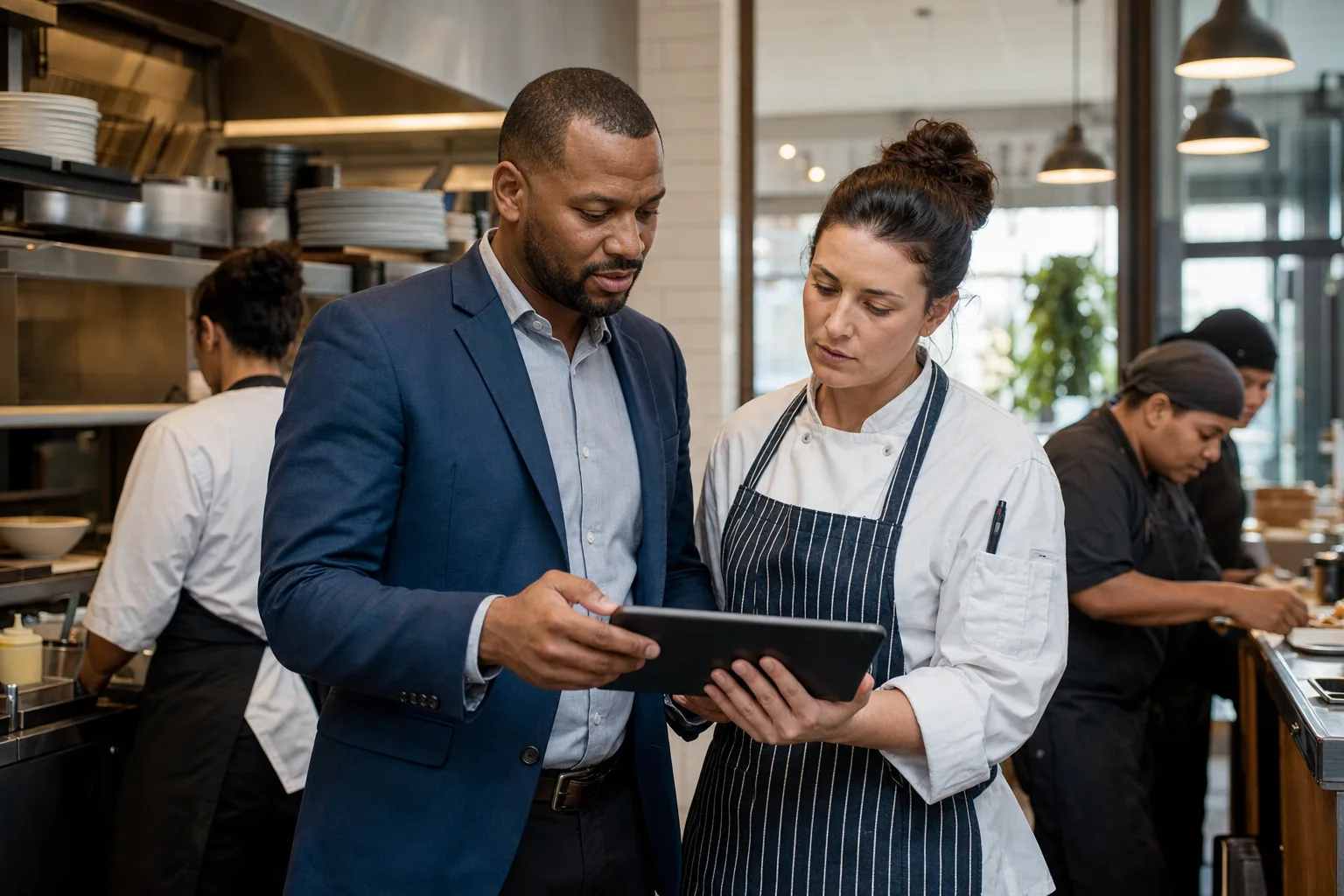
Restaurant scheduling software should help operators build a schedule around roles, service periods, availability, time off, and last-minute coverage—not just names on a calendar. For a restaurant, that means separating front of house and back of house work, defining opening and closing shifts, setting minimum staffing by daypart, publishing schedules clearly, and keeping call-outs from turning into service gaps. The strongest implementation starts with your operating model: what must be staffed for breakfast, lunch, dinner, late-night, prep, dish, bar, host stand, and management coverage. Then the software can apply recurring patterns, highlight shortages, and help managers contact eligible replacements without rebuilding every week by hand.
What role-based restaurant scheduling means
Role-based scheduling assigns coverage to the work that must happen, then matches qualified people to that work. Instead of building the week by dragging employees into random blocks, the manager defines the restaurant’s staffing requirements first.
Common restaurant roles include:
- Front of house, often shortened to FOH: host, server, bartender, barback, busser, runner, cashier, expo, floor lead, and manager on duty.
- Back of house, often shortened to BOH: prep cook, line cook, grill, sauté, fryer, pantry, dish, receiver, baker, and kitchen lead.
- Support or hybrid roles: to-go, catering, delivery handoff, event setup, inventory, training, and cleaning shifts.
A role-based schedule is especially useful when employees are cross-trained. For example, a server may also be eligible for host shifts, or a prep cook may be approved for dish coverage. The schedule should reflect those qualifications so the wrong person is not accidentally assigned to a station they cannot safely or effectively cover.
This is different from a personal shift-tracking app. The buyer or implementer is managing staffing risk across the restaurant: labor coverage, operational readiness, employee availability, time-off approvals, and accountability for who fills each role.
Start with the restaurant’s operating map
Before entering staff names, document how the restaurant actually runs. A scheduling system will only be as useful as the structure you give it.
Define locations, teams, and service periods
For a single restaurant, the main team structure may be FOH and BOH. A larger operation may separate bar, dining room, kitchen, catering, banquets, or multiple restaurant concepts. Multi-location operators may need teams by site, then roles within each site.
ShiftSynch supports multi-tenant organizations with teams, crews, staff accounts, roles or qualifications, and FTE codes. Although ShiftSynch was originally designed around nursing staff and 24/7 clinical coverage, the same coverage logic applies to restaurants, hotels, security, manufacturing, and other shift-working operations. For hospitality examples beyond restaurants, see the broader hospitality scheduling guides and the hotel staff scheduling guide.
Name shifts by operational purpose
A restaurant shift name should tell the manager what work is being covered. Avoid vague labels such as AM 1 or PM 2 unless everyone understands them.
Useful shift types may include:
- Kitchen open
- FOH open
- Lunch service
- Mid shift
- Dinner service
- Bar close
- Kitchen close
- Dish close
- Prep production
- Weekend brunch
- Banquet setup
- Inventory or receiving
Custom shift types help separate coverage needs that happen at similar times but require different work. For example, a 4 p.m. line cook shift and a 4 p.m. prep shift may overlap, but they are not interchangeable if the dinner line must be ready by 5 p.m.
Build FOH and BOH role requirements
Restaurant operators often build schedules employee-first because the week feels urgent. The more reliable approach is requirement-first: define what must be staffed, then assign eligible employees.
Minimum staffing by weekday and date
Requirements usually vary by weekday, meal period, reservations, events, and season. Even without connecting scheduling software to a POS or reservation system, managers can set baseline coverage from known operating patterns.
For example, a casual restaurant may need different minimums for Monday lunch, Friday dinner, and Sunday brunch. A catering-heavy venue may need special date-based requirements for booked events.
ShiftSynch allows staffing requirements by shift, role, weekday, or a specific date. That lets a manager set a repeating pattern for normal weeks and override a specific holiday, private event, or large party date. For more detail on setting thresholds, see set minimum staffing levels.
Example role requirement table
| Service period | FOH roles to define | BOH roles to define | Common failure point |
|---|---|---|---|
| Opening | Host or cashier, opener server, manager on duty | Prep, line setup, dish or porter | Opening duties assigned, but no role owner for unlock, cash, prep list, or station setup |
| Lunch | Host, servers, runner, cashier or to-go | Line cook, prep support, dish | Too many generic servers, not enough host/to-go coverage |
| Dinner | Host, servers, bartender, barback, runner, busser, floor lead | Line by station, expo, dish, kitchen lead | Schedule fills headcount but misses station coverage |
| Closing | Closing server, bartender, busser, manager | Dish close, line close, kitchen close | Employees leave at same time with no defined closing responsibility |
| Events or catering | Event captain, banquet servers, bar, setup | Catering prep, packout, dish | Event staffing handled outside the main schedule, creating conflicts |
The table is not a staffing ratio. Restaurants should verify local labor requirements, licensing rules, safety obligations, union language, minor work restrictions, alcohol-service requirements, and company policy before adopting any coverage model.
Capture availability before building the schedule
Availability is one of the biggest sources of restaurant scheduling friction. Many employees work around school, childcare, second jobs, public transit, or other commitments. If availability is tracked through texts, sticky notes, or memory, managers spend extra time reconciling conflicts.
A structured availability process should answer:
- Which days and times can the employee work?
- Are there roles they can and cannot cover?
- Are there preferred shifts versus hard unavailable periods?
- When does a new availability pattern become effective?
- Who approves changes?
ShiftSynch supports staff availability and time-off submission and approval. Once availability is stored in the scheduling system, managers can reduce avoidable assignments outside stated availability and use cleaner eligibility lists when filling absences. For implementation detail, see employee availability management.
Availability failure points in restaurants
A few patterns create schedule churn:
- Treating preferences as guarantees without setting policy boundaries.
- Accepting availability changes after the schedule is already being built.
- Letting employees give different availability to different managers.
- Forgetting that cross-trained employees may be available for one role but not another.
- Ignoring minor work-hour limits, school-night limits, or local restrictions where applicable.
The software can organize availability, but the restaurant still needs a policy. Managers should define the cutoff for new availability, the approval workflow, and how conflicts are handled when business needs and preferences do not align.
Configure opening and closing shifts carefully
Opening and closing shifts are more than start and end times. They contain operational responsibilities that determine whether service begins on time and closes safely.
Opening shift setup
Opening shifts may include unlocking, alarm disarm, temperature logs, cash drawer setup, coffee or bar setup, prep lists, receiving, patio setup, reservation review, and station checks. Not every opener can perform every task. A keyholder or manager may be required for certain duties.
Scheduling software should distinguish between:
- FOH opener
- BOH opener
- Manager opener
- Bar opener
- Prep opener
- Host or cashier opener
If those all appear as the same generic morning shift, the schedule may look full while critical opening work is uncovered.
Closing shift setup
Closing shifts often fail when the schedule says employees work until close but does not assign closing responsibility. A server ending at 10 p.m. is not necessarily the same as the closing server accountable for side work, checkout, and section close. BOH close may require dish coverage after the line stops taking orders.
Define closing roles explicitly:
- Closing manager
- Bar close
- Server close
- Busser or runner close
- Dish close
- Line close
- Kitchen lead close
Use specific end-time assumptions, but give managers a process for service running late. Scheduling software can define the planned schedule; management policy should define what happens when guests, cleanup, or safety requirements extend the shift.
Use recurring rotations where they fit
Restaurants do not always use rigid rotations, but recurring patterns can still help. Examples include a Monday-to-Friday prep schedule, a rotating weekend manager duty, a standing brunch team, or a four-day kitchen lead pattern.
ShiftSynch supports custom shift types and recurring rotation patterns. On paid plans, it also supports two-pass automatic schedule generation: Pass 1 places fixed rotations, then Pass 2 fills minimum staffing with eligible non-overtime staff. That structure can help a restaurant preserve stable assignments before filling the remaining gaps.
For a deeper explanation of recurring patterns, see the rotating shift schedule guide. If your operation has late-night, overnight, or around-the-clock coverage, the 24/7 coverage scheduling guide may also be relevant.
Where rotations can go wrong
Recurring patterns are useful only when they match reality. Problems appear when:
- The pattern ignores seasonal changes.
- Employees rotate into roles they are not qualified to work.
- A weekend rotation conflicts with approved availability.
- Managers rely on a rotation even when minimum staffing has changed.
- Time-off approvals are not reflected before publication.
A practical setup uses rotations for stable coverage, then minimum staffing rules and availability checks for the variable parts of the week.
Manage time off without losing coverage
Time off should not be an afterthought after the schedule is posted. When employees request vacation, family obligations, exams, or appointments, the manager needs to know whether approving the request will create a coverage shortage.
A restaurant time-off process should define:
- How far in advance requests should be submitted.
- Whether blackout dates apply for holidays, events, or peak periods.
- Who approves FOH, BOH, bar, and management requests.
- How many people in the same role can be off at once.
- What happens when two employees request the same high-demand date.
ShiftSynch supports time-off submission, approval, and automatic vacation coverage outreach. That can help managers move from manual text chains to a more structured coverage workflow. The restaurant should still maintain its own approval policy and verify any local legal, contractual, union, or company requirements.
Publish schedules with fewer surprises
Publishing is where many restaurant schedules become unstable. If the schedule is shared too late, employees may not have time to flag conflicts. If it changes repeatedly after publication, staff stop trusting it.
Paid ShiftSynch plans support schedule publishing plus staff notification by email and SMS. A reliable publishing process should include:
- A build deadline for managers.
- A review step for role coverage, availability conflicts, and overtime risk.
- A publication date and time employees can expect.
- A policy for post-publication changes.
- A record of who was scheduled and when the schedule was issued.
Exports can help when managers need a printed kitchen schedule, FOH grid, or coverage review file. ShiftSynch offers PDF, Excel, grid, and coverage CSV exports where supported by the applicable plan.
Do not substitute publishing for communication
A published schedule is necessary, but it does not answer every operational question. Managers should still clarify station assignments, training shifts, event notes, and closing expectations. Avoid putting sensitive employee information in public printouts. Verify privacy and labor posting requirements for your location.
Handle call-outs and day-of coverage
Restaurant call-outs are disruptive because coverage is role-specific. Losing a host affects the door. Losing a line cook affects ticket times. Losing a dish closer affects the entire shutdown process.
A good coverage workflow answers three questions quickly:
- What role and shift are uncovered?
- Who is eligible and not already in overtime according to the restaurant’s rules?
- When does the manager escalate if no one accepts?
ShiftSynch supports bidirectional SMS call-out coverage. Staff can text SICK to scheduling@shiftsynch.com or use the app call-out action to trigger automatic Tier 1 non-overtime coverage texts. Eligible replacements can reply YES or use a one-click magic link to claim the shift. The default is first-to-respond, and managers can customize the approach.
If a shift remains unfilled after 60 minutes, ShiftSynch texts the manager to confirm whether to open the shift to overtime with OT YES or attach a preset shift bonus with BONUS A, BONUS B, or BONUS C. Adaptive coverage learning can rank outreach by historical staff response rate and reply speed.
For policy design, see last-minute call-outs policy and handle understaffing.
Use analytics to review coverage, not just labor hours
Restaurant managers often review schedules by total hours, but coverage risk is more specific. A week may look acceptable in total labor hours while still missing a Saturday dish close or a qualified bartender for a private event.
ShiftSynch provides coverage analytics comparing required staff with staff actually scheduled. Operators can use that comparison to review:
- Unfilled role requirements.
- Days with repeated shortages.
- Overreliance on the same employees.
- Overtime and labor-cost reporting.
- Whether cross-training would reduce coverage gaps.
Qualifications tracking is available on the Professional plan and above. That matters in restaurants where not everyone can work every station, handle alcohol service, supervise minors, close the building, or operate specific equipment. The software can track qualifications, but managers remain responsible for verifying legal, training, licensing, safety, and company requirements.
Implementation checklist for restaurant scheduling software
Use this checklist before launch and again after the first few schedule cycles.
- Define teams: FOH, BOH, bar, catering, management, locations, or other operating units.
- List roles: host, server, bartender, runner, busser, cashier, prep, line, dish, expo, kitchen lead, manager on duty, and any site-specific roles.
- Identify qualifications: keyholder, alcohol-service eligibility, station training, equipment training, closing authority, or event lead responsibility as applicable.
- Create shift types: opening, lunch, mid, dinner, close, prep, receiving, brunch, catering, event setup, and inventory.
- Set minimum staffing: define requirements by role, weekday, shift, and special date.
- Enter staff availability: include effective dates and approval rules.
- Enter approved time off before building the next schedule.
- Add recurring rotations only where the pattern is stable.
- Run schedule generation or build manually, then review coverage analytics.
- Check overtime and labor-cost reports before publishing.
- Publish on a predictable schedule and notify staff through the supported channels.
- Define post-publication change rules and manager authority.
- Create a call-out policy: who reports absences, when outreach begins, who is eligible, and when overtime or bonuses can be approved.
- Review recurring gaps monthly and decide whether to adjust staffing requirements, cross-train employees, or revise availability rules.
Where AI can help restaurant schedulers
AI should not replace manager judgment, but it can reduce setup work and help diagnose configuration issues. ShiftSynch includes Sara, a built-in AI assistant, that can diagnose setup, apply an industry starter template, create teams, roles, shifts, rotations, and staff, run two-pass auto-scheduling, and customize the organization’s numbered Coverage and Overtime Rules.
For restaurants, that may mean using a hospitality starter structure, then editing it to match the actual dining room, kitchen, bar, and event model. The manager should still review every role, qualification, coverage rule, and time-off policy before the schedule goes live. Sara does not remove the need to verify local labor law, union language, licensing requirements, safety rules, or company policy.
For more context on AI scheduling concepts, see the AI shift scheduling guide and AI employee scheduling.
What not to expect from restaurant scheduling software
Restaurant scheduling software is not a POS system, tip pool system, payroll processor, applicant-tracking system, reservation book, or labor-law compliance guarantee. It should help organize coverage, assignments, availability, time off, publication, reporting, and call-out workflows. Operators should avoid assuming it will automatically know guest demand, sales trends, weather effects, or event complexity unless those capabilities are separately verified for the specific product and integration.
The safest implementation treats the schedule as an operational control system. Define what must be staffed, who is eligible, when people are available, how time off is approved, how the schedule is published, and how gaps are filled. That structure gives restaurant managers a clearer way to protect service periods without relying on memory, scattered messages, or last-minute scrambling.
Frequently Asked Questions
- What should restaurant scheduling software track first?
- Start with roles, shift types, staffing requirements, employee availability, and approved time off. FOH and BOH coverage should be defined before employees are assigned to the weekly schedule.
- Can restaurant scheduling software handle opening and closing shifts?
- Yes, if opening and closing are configured as specific shift types or role requirements. Separate FOH open, BOH open, bar close, dish close, kitchen close, and manager close when those duties require different employees.
- How should restaurants use availability rules?
- Availability rules should show when employees can work, when changes take effect, and who approves them. Managers should also define cutoff dates and verify any labor, union, minor-work, or company policy requirements.
- Does ShiftSynch include POS, tipping, or payroll features for restaurants?
- No. ShiftSynch is scheduling and SMS call-out coverage software. It should not be treated as a POS, tip management system, payroll processor, or compliance guarantee.
- How can restaurants reduce last-minute coverage gaps?
- Define call-out rules before absences happen, keep qualifications current, use non-overtime eligible outreach first, and set manager escalation rules for overtime or bonuses when a shift remains unfilled.
Ready to replace the spreadsheet and group text?
Build the rotation, publish shifts, and see qualified coverage in ShiftSynch.
Start free